
Features
Every feature for legally binding digital signatures
SmartDocs covers the entire signature request: from upload and signing order to the sealed evidence document. Hosted in Germany, ready in minutes.
- Hosted in Germany
- GDPR compliant
- eIDAS compliant
- ISO 27001
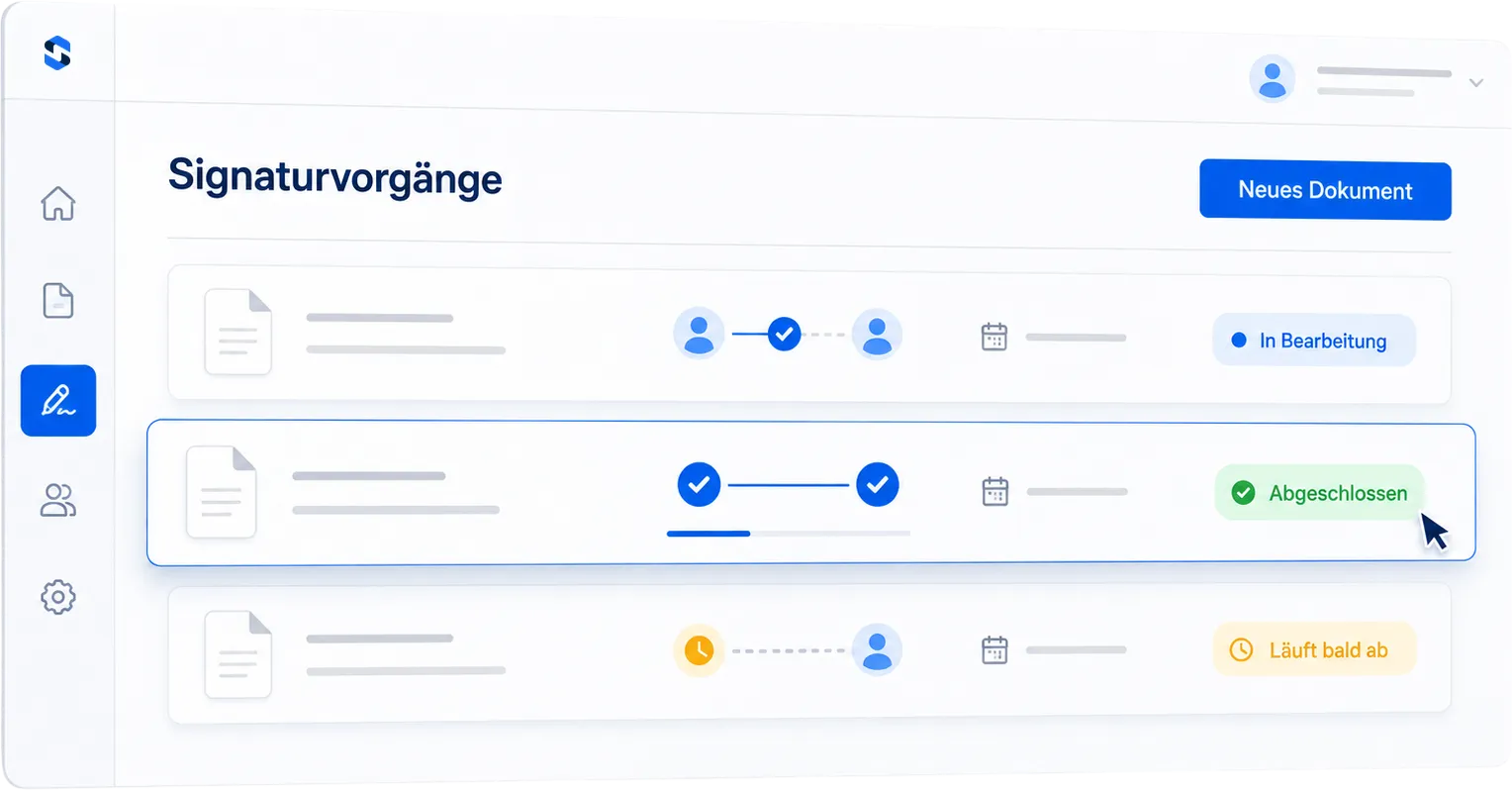
Signature requests
Send, track, complete
A signature request bundles the document, signers and order. You always see whose turn it is and where things are stuck.
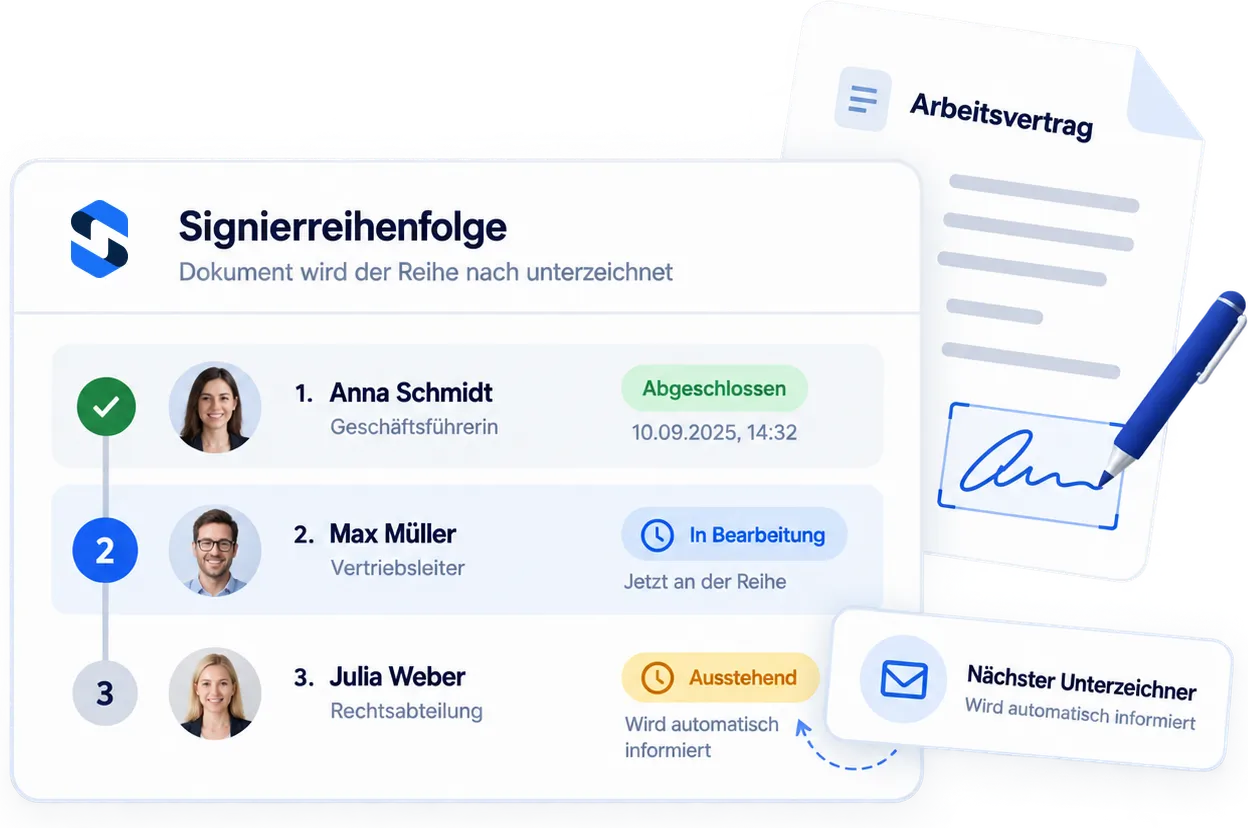
-
Sequential signing order
Define who signs when: internal first, then external. SmartDocs triggers each step automatically and contacts no one before the previous step is done.
-
Signing link instead of an account
Signers receive a personal link by email and sign in the browser, on mobile too. No registration, no app.
-
Real-time status
Opened, read, signed: the request status is visible at any time, and reminders go out automatically.
Signature levels
The right signature level for every document
You choose the level per request. The NDA goes out in seconds, and the fixed-term employment contract runs through the QES.
Simple electronic signature
For everyday business: quotes, NDAs, orders. Signed with one click.
Learn moreAdvanced electronic signature
For important contracts: an SMS code uniquely links the signature to the signer.
Learn moreQualified electronic signature
For the statutory written form: legally equal to a handwritten signature.
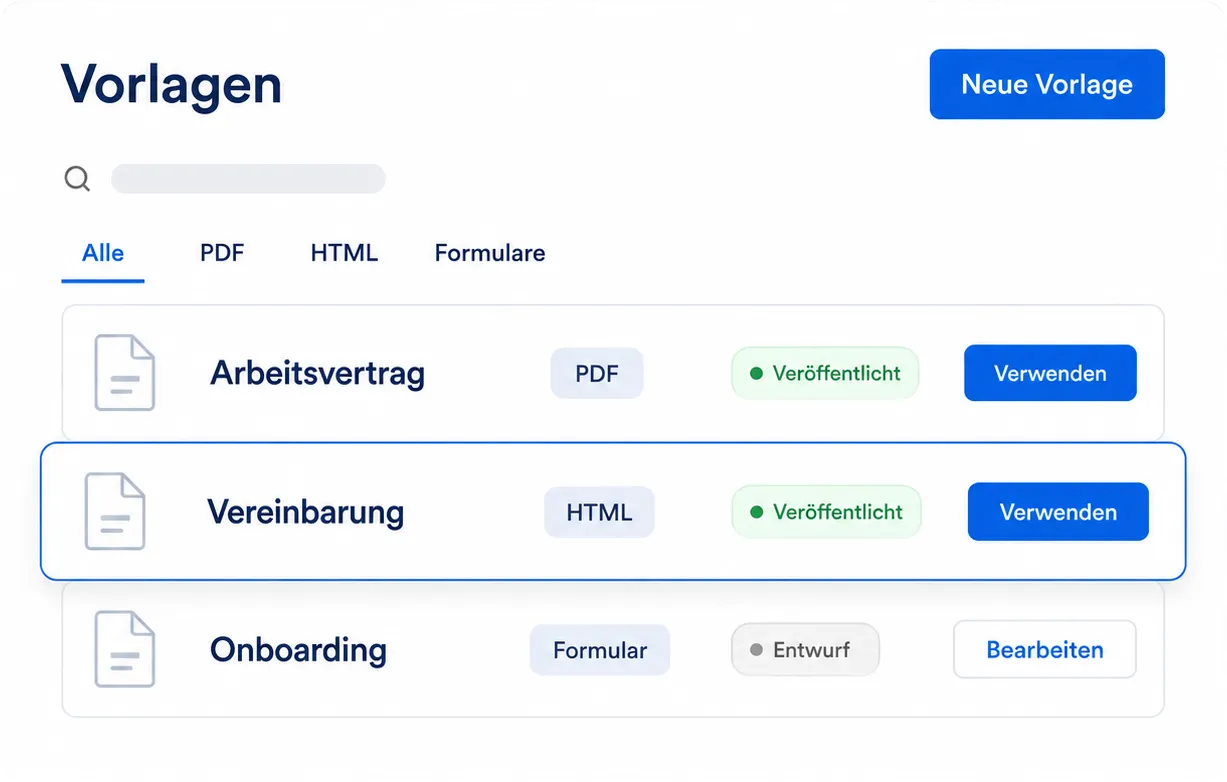
Learn moreTemplates
Recurring contracts ready to send in seconds
Employment contract, NDA, order confirmation: anything you need more than once becomes a template in SmartDocs.
-
PDF, HTML and forms
Static PDFs with fixed field positions, dynamic HTML templates or online forms built from blocks: all three live in the same library.
-
Drag-and-drop fields
Place signature, text, date and checkbox fields by drag and drop. Required fields are enforced before the signature can be completed.
-
Placeholders
Name, date, contract details: placeholders are filled in when you send, and signature fields always sit in the right place.
-
Versioning
Every change creates a new version. Running requests keep their version, new ones start with the current one.
Online forms
Sign, even when there is no PDF
Some documents only take shape during a conversation. In that case, you assemble the document in SmartDocs from blocks: your customers read it, fill it out, choose options and sign in a single pass.
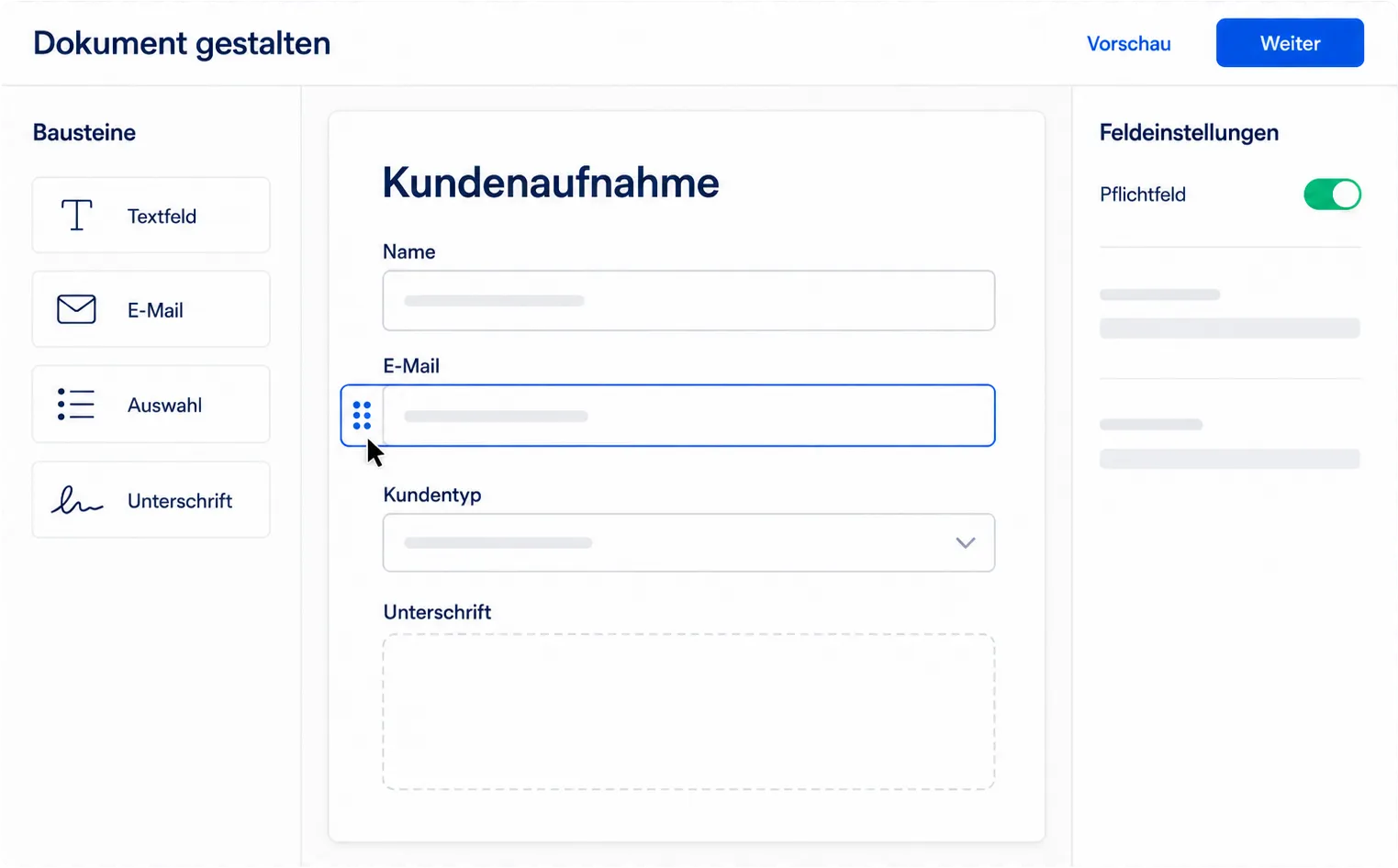
Blocks for content and answers
Heading, text, section and divider for content. Short and long text, email, phone, number and date for details. Yes/no, confirmation, dropdown and multiple choice for decisions.
A signature for each person
Every signer gets their own required signature field. With the assignment, you define who fills in which block and who sees it at all.
Values from your CRM
Insert prices, dates and contract details as placeholders in the text and fill them in when you create the request. Each block has its own field key for this.
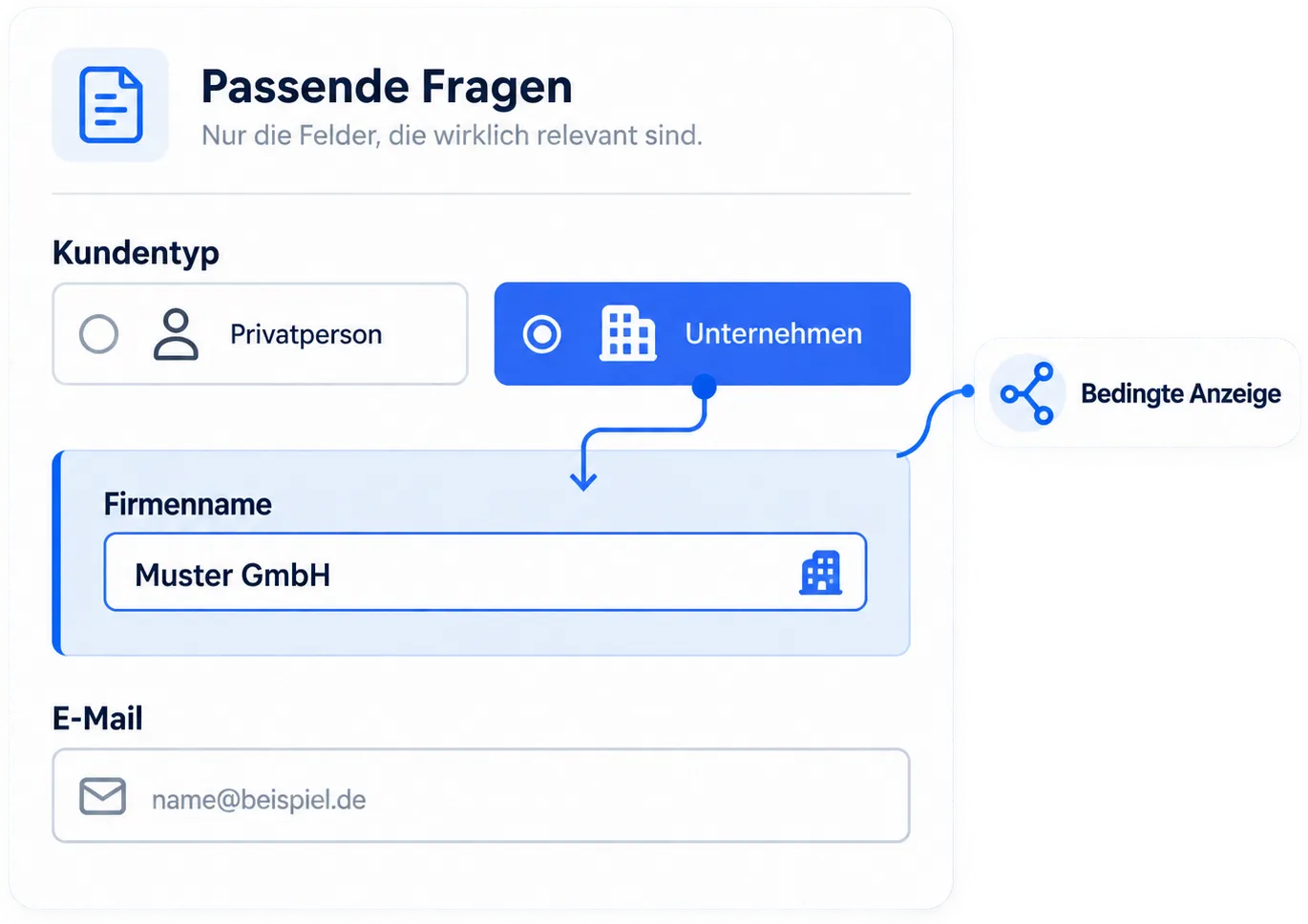
Only the questions that apply
Individual fields and entire sections can be tied to a condition. Anyone who chooses "Private individual" never sees the follow-up question about the company name: the block is skipped along with its answer instead of sitting empty in the document.
- Conditions on fields and on entire sections
- Comparisons such as "is", "is not", "contains", "is empty" and "is filled in"
- The layout adapts automatically to phone and desktop
- Undo and redo in the editor, blocks can also be moved with the keyboard
Evidence
Audit trail and completion certificate
In a dispute, what counts is what you can prove. SmartDocs documents every step in a tamper-evident way.
-
Cryptographic hash chain
Every event (uploaded, sent, opened, signed) references the hash of its predecessor. Any later change would visibly break the chain.
-
Completion certificate as PDF
Once complete, you receive a certificate with all evidence data: who signed when, from which IP address, at which level.
-
Exportable evidence data
Timestamps, IP addresses, user agents: the complete chain of evidence can be exported as a structured file.
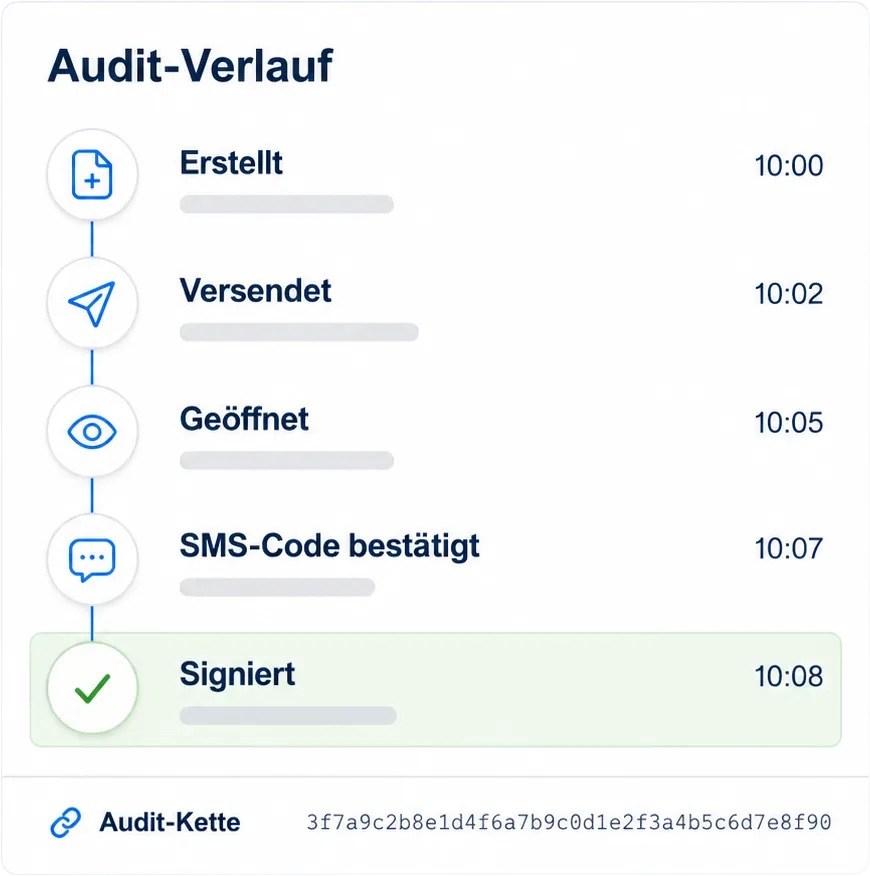
Secure from the start
- Hosted in Germany
- GDPR compliant
- eIDAS compliant
- ISO 27001
Collaboration
Built for teams
From a two-person office to a company with multiple locations.
Roles and permissions
Owner, Admin and Member: everyone sees and can do exactly what their role allows. On the Enterprise plan, you build custom roles from individual permissions.
Approval before signing
A participant gets the Approval role: they review the document at their position in the order and approve it without signing themselves. The decision later appears in the completion certificate.
Separate organizations
For other companies or clients, you create additional organizations, each with its own templates, requests and members.
Sender branding
Signature emails carry your sender name, by default the name of your organization.
Reminders
Automatic reminders to overdue signers, without you having to chase them by phone.
Revise with revision history
Declined, expired or voided? Revise the request: the new version is linked to the original, which stays unchanged. The revision history shows what replaced what.
For developers
The complete platform, also as an API
Start signature requests directly from your software: CRM, ERP or in-house development. The REST API is included from the Pro plan, not just from Enterprise.
In person
Even without email: kiosk signing
Customers sign directly on your tablet, with identity verification documented by your team.
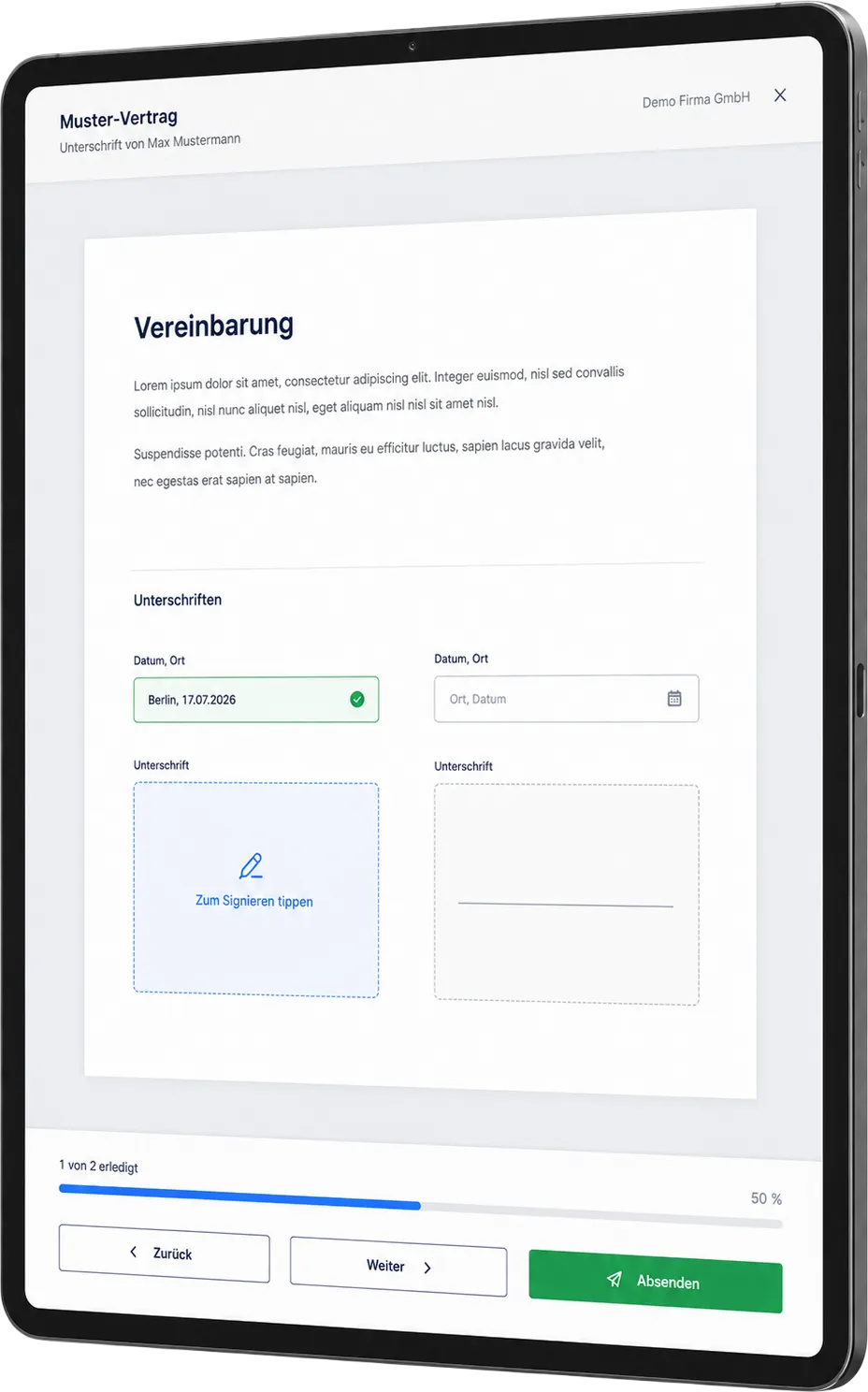
The Kiosk App turns your tablet into a signing station. Ideal for car dealerships, medical practices, property viewings and branches: wherever contracts are concluded with both parties present.
Get the Kiosk App for your tablet:

Plans
Which feature in which plan?
Start for free and upgrade as your team grows. Cancel monthly, no minimum term.
| Feature | Free €0 per month | Pro €25 per seat per month | Enterprise €40 per seat per month |
|---|---|---|---|
| Signature requests | 5 per month | unlimited | unlimited |
| Simple signature (SES) | included | included | included |
| Advanced signature (AES) | not included | 15 SMS per seat per month | 30 SMS per seat per month |
| Qualified signature (QES) | not included | on request | on request |
| In-person signing (Kiosk App) | included | included | included |
| Audit trail and completion certificate | included | included | included |
| Templates | 3 | unlimited, with versioning | unlimited, with versioning |
| Document storage | 100 MB | 10 GB per seat | unlimited |
| REST API | not included | included | included |
| Additional organizations | not included | included | included |
| Custom roles and permissions | not included | not included | included |
| Approval before signing | not included | not included | included |
| Revise with revision history | not included | not included | included |
| White label | not included | not included | included |
| Priority support | not included | not included | included |
| Start for free | Try Pro | Contact sales |
All prices plus VAT. Each SMS beyond the included quota costs 0.15 euros.
All plans in detailFAQ
Frequently asked questions about the features

See for yourself
You can try every Free plan feature right away, with real, legally valid signatures.