
Online forms
Get signatures, even without a PDF
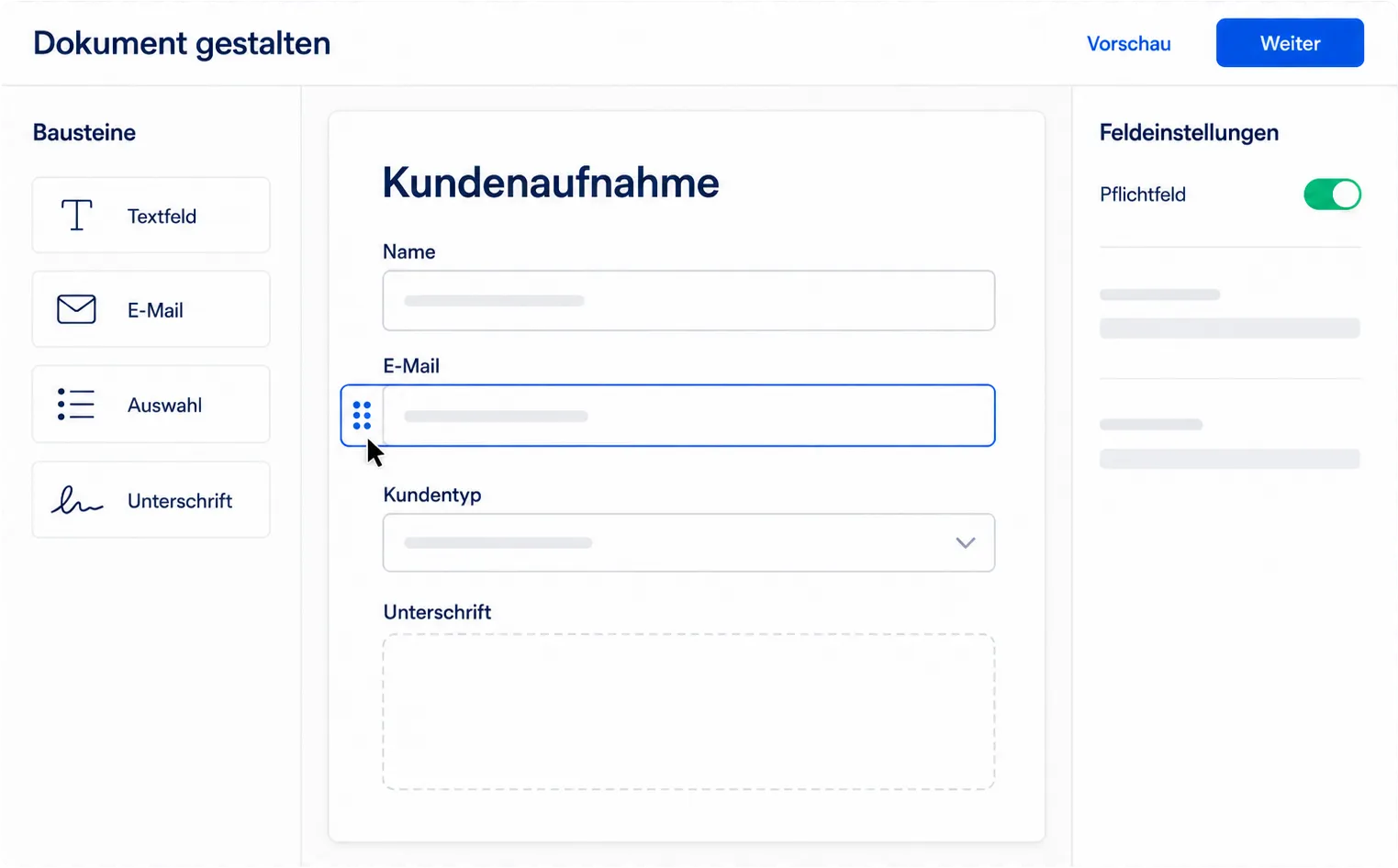
Not every deal starts with a finished file. With online forms, you build the document in SmartDocs from blocks: text, answer fields, choice lists and signature. Your customers read, choose, fill in and sign on a single page.
The difference
When to use a form, when a PDF?
Both paths lead to the same result: a legally valid, signed and sealed PDF. They only differ in where the content comes from.
Online form
When there is no document yet, or one isn't worth creating: quotes that are often never accepted, intake forms with follow-up questions, agreements with options. Your customers fill in details instead of just reading.
Existing PDF
When the contract is already final and has to look exactly like this: employment contracts, prescribed forms, anything fixed by layout or your legal department. You upload the file and place the fields on it.
Both live in the same template library, together with HTML templates. You decide per document, not once for your entire account.
Blocks
15 blocks to build your document from
Click to add, or drag into the document. A document can contain up to 100 blocks, and the layout adapts automatically to phone and desktop.
Content
Heading, text, section and divider. In the text you add placeholders that are filled with values from your system when the request is created.
Answer fields
Short text, long text, email, phone, number and date. Email addresses and phone numbers are checked for a valid format.
Choices and signature
Yes/no, a confirmation checkbox, a single-choice list for exactly one option, multiple choice for as many as needed, and the signature field.
Each signer needs exactly one required signature field. With assignments, you set for each block who fills it in and who sees it at all, so several parties can work on different sections of the same document.
Conditional logic
Only the questions that apply
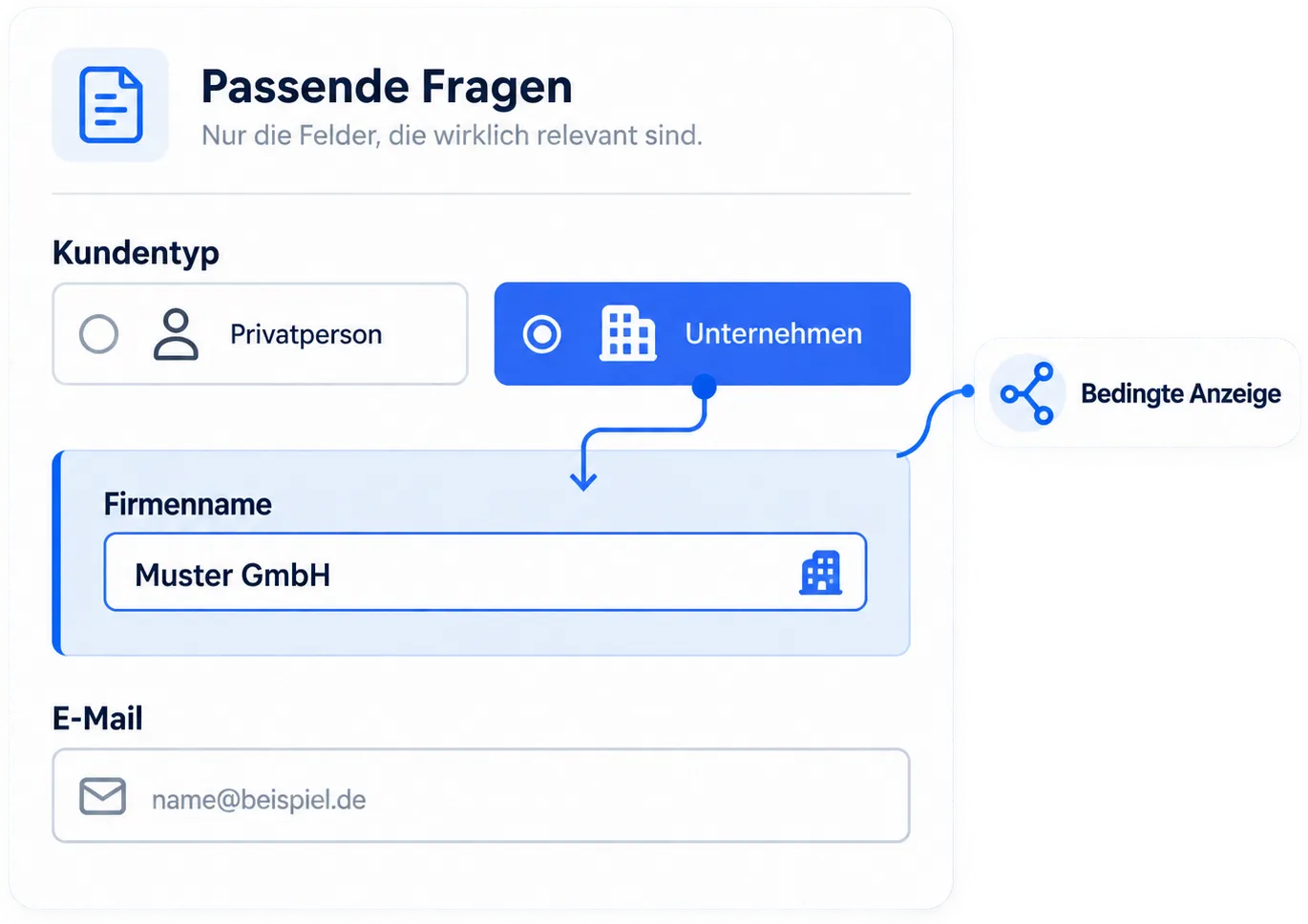
A form that asks everyone everything doesn't get filled in. That's why individual fields and entire sections can be tied to conditions.
-
Rules on fields and sections
Anyone who chooses "Private individual" never sees the follow-up question about the company name. A conditional section hides several blocks at once, including the text between them.
-
Five comparisons, all you need
"is", "is not", "contains" for multiple choice, "is empty" and "is filled in". If a block has several rules, all of them must apply.
-
Skipped really means skipped
Hidden blocks don't show up empty in the document. The evidence document contains exactly the content the person actually saw and accepted.
How it works
From a blank page to a sealed PDF
Four steps, and you only do the first two yourself.
Design the document
Drag blocks from the library into the document, write labels and text directly in the document, set required fields and conditions on the right.
Set recipients and send
Choose signers, signing order, signature level and deadline. SmartDocs sends the invitation, or your system fetches the private link.
Fill in and sign
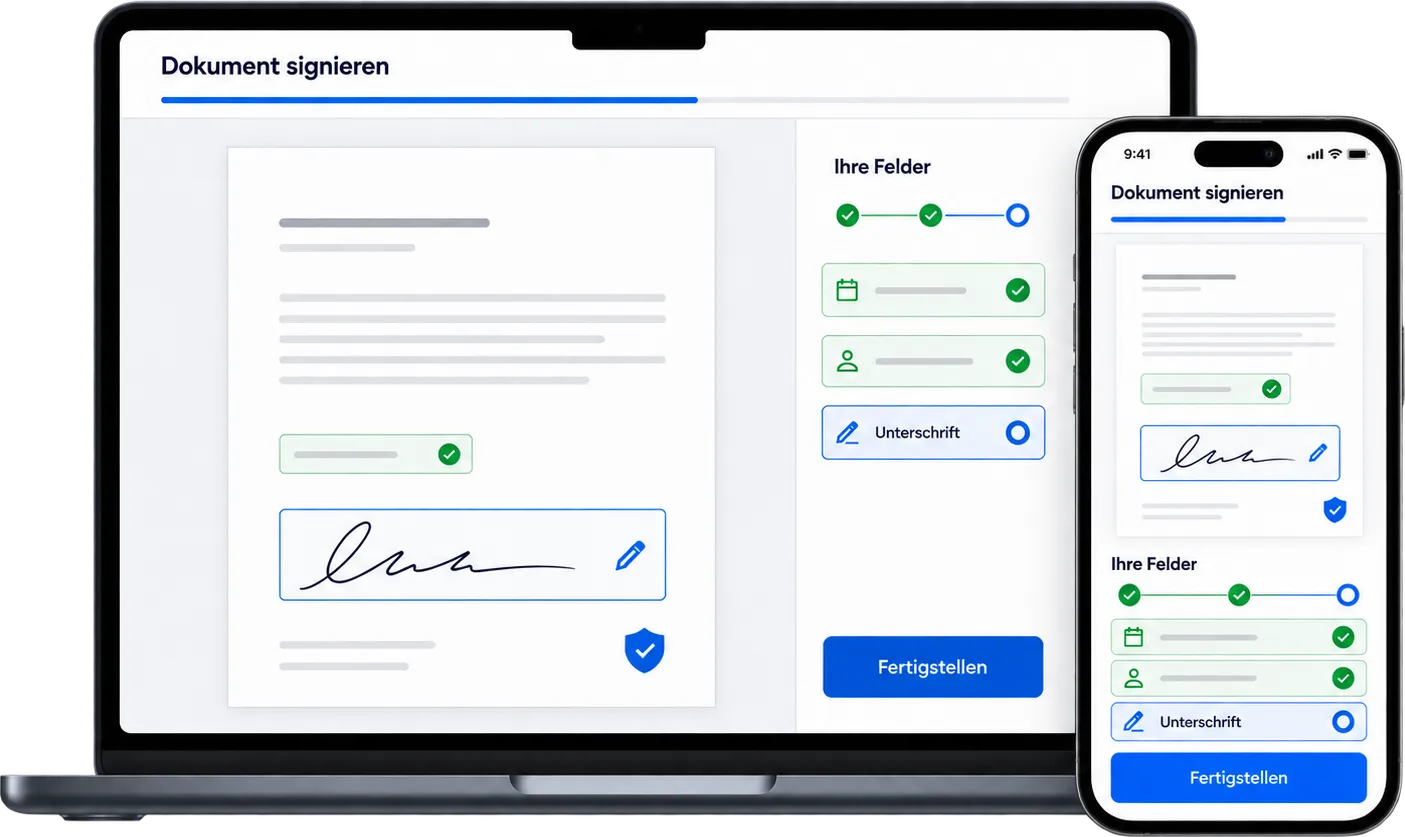
Your customers read the document, fill in the visible fields and sign below. No account, no app, on a phone just as well as on a desktop.
Receive the sealed PDF
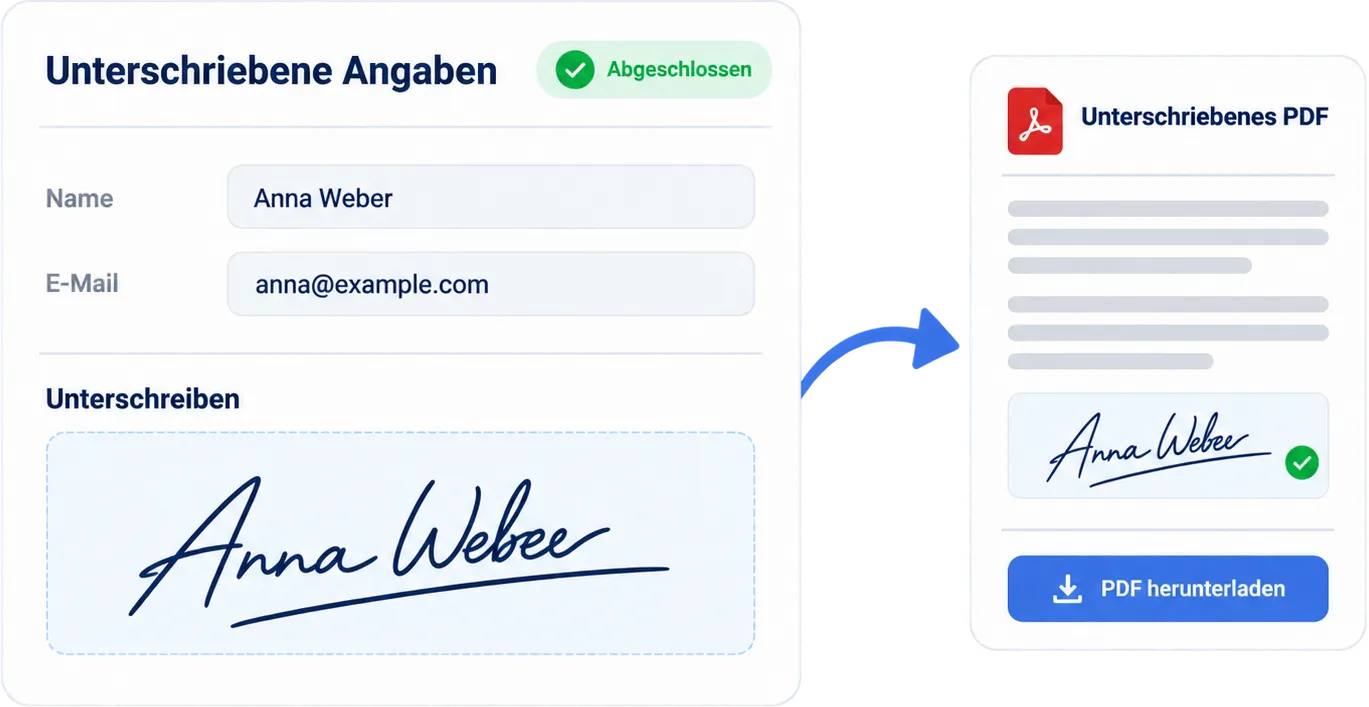
After the last signature, SmartDocs generates the signed PDF and the completion certificate, with an audit trail like every signature request.
What your customers see
One link, one page, one pass. Reading happens at the top, filling in in the middle, signing below, and completion is a deliberate confirmation instead of a hidden checkbox. On a phone, the fields stack one below the other, with no zooming.
A note on form design: entries only persist while the page is open. There is deliberately no way to save a draft, so incomplete answers never linger anywhere. Keep forms short enough to be filled in in one go.
Evidential value
No PDF at the start, a sealed PDF at the end
Content built from blocks changes nothing about the evidence: online forms use the same signature request as uploaded documents.
-
Frozen when sent
Content, recipients and settings are locked in and hashed when you send. To make changes, you withdraw the request and send a new document.
-
The same audit trail
Created, sent, opened, confirmed by SMS code for AES, signed: every event timestamped and cryptographically chained to the one before it.
-
Signed entries and completion certificate
SmartDocs records which content each person saw and which answers they gave, and uses that to generate the sealed PDF and its certificate.
-
All signature levels
SES for everyday business, AES with SMS code for sensitive agreements. Deadlines, reminders, withdrawal and webhooks also work as usual.
Typical use cases
What online forms are made for
Wherever the document only takes shape at the moment you make the offer.
Quotes that often go unaccepted
A moving company sends out dozens of quotes per week. Building a PDF for each one up front is wasted work: here, the document only comes into being with the signature.
Intake forms and onboarding
New customers, new employees, new members: capture their details and have them sign the required consents in the same step.
Agreements with options
When the other party should choose between packages, dates or add-on services, the form records their choice in a binding way.
Documents straight from your CRM
Your system already knows the price, date and customer details. The API turns them into a finished document, without a PDF having to be rendered anywhere.
Clear limits
What online forms deliberately don't do
SmartDocs is the signing platform, not your calculation or filing tool. These limits are by design, not a backlog.
No calculations
Prices, dates and contract details come as fixed values from your system. If your customer picks an add-on service, the choice is documented as binding, but it changes neither the price nor the contract text. What follows from it, you decide in your CRM.
No uploads
Forms don't accept file or photo uploads. If you need to collect receipts and supporting documents, a document management system will serve you better than a signing platform.
No drafts
Entries only persist while the page is open. That keeps incomplete answers out of the system, but it calls for forms that can be completed in one pass.
FAQ
Questions about online forms

Build your first form in ten minutes
Start for free and try it on the Free plan: drag in blocks, add recipients, send. No payment details, no minimum term.